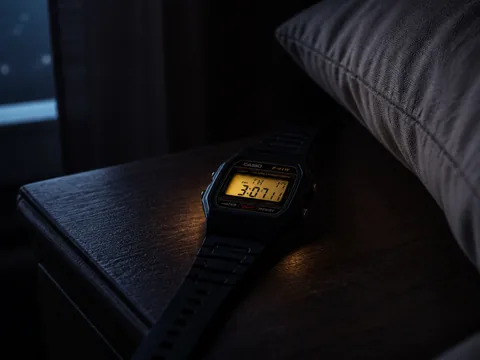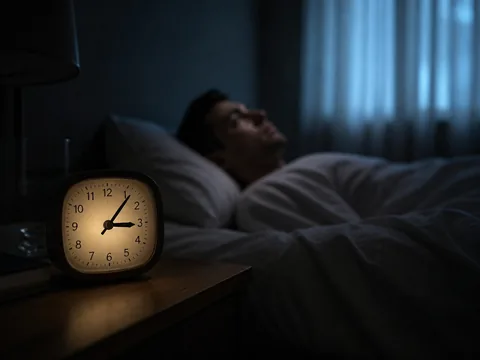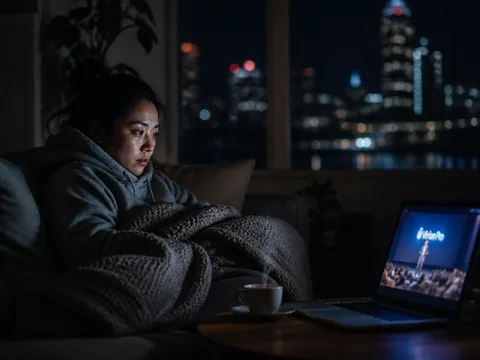
Apple holds its keynotes at 10 a.m. Pacific, which is a civilised hour in Cupertino and 3 a.m. where I live, in Sydney. For three launch cycles I've been the person who sets an alarm, makes an espresso in the dark and watches an Apple event live from the couch with the sound turned low. This year I wanted to know what that habit actually costs me. So across one launch season I tried three ways of keeping up, logged each one on the same watch, and wrote down every milligram of caffeine.
The short version: waking up for the live stream cost me just under three hours of sleep and told me nothing a 9 a.m. replay wouldn't have. The replay, watched with notifications blocked, was better on every measure except bragging rights.
This is a sample of one person, three nights and a consumer wearable, not a sleep lab. Where my numbers are soft, I'll say so.
What most people do
If you follow Apple closely and live anywhere east of Greenwich or west of Hawaii, you know the ritual. Rumor season builds for weeks. By the night before, you've read the leaked case renders, the supply-chain notes and the analyst who is certain this is the year Apple ships a phone that folds. You go to bed late because the leaks keep coming. You set an alarm for twenty minutes before the stream. You make coffee, because you are not going to watch a hinge reveal half asleep.
In the Americas the cost is a long lunch. In Europe it's an evening, which is fine, and the late finish is the only real problem. In Australia, New Zealand and much of Asia, the keynote lands in the deepest part of the night. My Apple-following group chat splits roughly in thirds: the alarm-setters, the people who sleep and check headlines at breakfast, and a smaller group who say they'll sleep but keep the phone face-up on the nightstand "just in case." That last group always ends up watching.
The pattern repeats a week or two later, at a smaller scale, when the software ships. Major iOS and watchOS releases usually go live around the same 10 a.m. Pacific slot. For the eager, that means another late night: hammering the Software Update screen and refreshing until the download bar appears, then watching a progress spinner at 3:40 a.m. for an update that would have installed itself overnight if left alone.
Almost nobody in the group chat treats any of this as a sleep decision. It's treated as a fandom decision, or a work decision for those who write about tech, and the sleep cost gets paid quietly the next afternoon.
What the evidence suggests
No study has looked at Apple fans specifically, and I won't pretend one exists. Three well-established findings do apply, though, plus one practical fact about how Apple's own hardware behaves on update night.
Caffeine at 2:40 a.m. is not a small dose
Caffeine's half-life in healthy adults is commonly given as around five hours, and the individual range is wide: some people clear it in two or three, while others, including people on certain medications or who are pregnant, take far longer. A double espresso at 2:40 a.m. means a meaningful share of that caffeine is still active at 8 a.m. That matters most if you plan to go back to bed after the keynote, which most alarm-setters do.
The most cited timing study, by Drake and colleagues in 2013, gave participants 400 mg of caffeine at bedtime, three hours before bed, or six hours before bed. Even the six-hour dose cut objectively measured total sleep by more than an hour. That dose is roughly double what I drink, so I can't map their numbers onto mine directly. The direction is the useful part: caffeine you take before an intended return to sleep doesn't stay out of the way just because you feel tired.
Waking at 3 a.m. lands you in the worst part of the night to wake from
The first half of a typical night is weighted toward deep, slow-wave sleep. Being pulled out of it produces sleep inertia: grogginess, slow reactions and poor judgement that usually fade within fifteen to thirty minutes and can last longer. An alarm at 2:45 a.m., two and a half hours after a 12:15 a.m. bedtime, has a good chance of catching you in exactly that state. That's why the espresso feels necessary, and the espresso then causes the trouble above.

The screen itself is a smaller factor than the internet suggests
I expected the stream's light to be the main problem. The evidence on screen light and melatonin is real but more modest and more mixed than wellness headlines suggest, especially for a dimmed phone or TV at normal viewing distance. What's harder to dismiss is arousal: a product reveal you care about, a group chat going off, a price you're doing mental arithmetic on. I couldn't separate light from excitement in my own data, and I won't claim to.
A practical fact: update night is an untracked night
This one isn't a study, just how the hardware works. A watchOS update needs the watch on its charger, with enough battery, while it installs. If you start an update at bedtime, or let an overnight install run, the watch spends the night on the charger and not on your wrist, so there's no sleep data for that night. iPhone updates are gentler: an overnight install while the phone charges costs you nothing. But if you track your sleep on the watch, installing a release the night it ships quietly deletes a night of data.
What I actually do
Here's the experiment, then what I took from it.
The three nights
All three nights followed the same daytime routine: one flat white at 7:30 a.m., nothing after noon, and the same bedroom. I recorded sleep on an Apple Watch with the built-in sleep tracking. I treated onset and total sleep as rough estimates rather than clinical figures. Consumer wearables are decent at total sleep time and shakier on the exact minute you drift off.
Night one: live. Bed at 12:10 a.m. Alarm at 2:45 a.m. Double espresso at 2:50 a.m., about 130 mg by my roaster's estimate for that dose; I didn't lab-test it. I watched the keynote from 3:00 to roughly 4:20 a.m., then spent fifteen minutes in the group chat. Back in bed at 4:40 a.m.
Night two: replay behind a wall. Bed at 11:30 p.m. Before bed I turned on a Focus that blocked every app likely to spoil the event: news, social, the group chat and two tech sites. I woke naturally at 7:10 a.m. and made the usual flat white. I watched the replay at 1.25× speed, with chapter skips past the sizzle reels, and finished by 8:30 a.m.
Night three: live blog only. A later product event at the same hour. Normal bed, no alarm, no blocking. At breakfast I read a single live blog top to bottom and looked at the official newsroom images. No video at all.
The results
| Approach | Caffeine before return to sleep | Time to fall back asleep | Total sleep | Time spent on the event |
|---|---|---|---|---|
| Live at 3 a.m. | ~130 mg | ~55 min after 4:40 a.m. | 4 h 55 min (split) | ~1 h 50 min including chat |
| Morning replay, spoilers blocked | 0 mg | n/a, one unbroken night | 7 h 30 min | ~1 h 5 min |
| Live blog at breakfast | 0 mg | n/a | 7 h 40 min | ~15 min |
Two caveats before reading too much into this. Night one's "time to fall back asleep" is the watch's estimate, and I remember lying awake for at least half an hour of it, so the figure is at least roughly honest. Night three's event was smaller, so the time-spent number flatters it.
The live night was the clear loser. Fifty-five minutes of lying awake at dawn, with an espresso still working and a new phone to think about, is about what the caffeine research predicts. The following afternoon I made a second coffee at 2 p.m. that I normally wouldn't. That pushed the next night's onset out to roughly 40 minutes, so the cost ran into a second night, which the table doesn't show.
The replay beat the live stream on more than sleep. At 1.25× with skips, a keynote of about 75 minutes took me roughly 55 minutes of viewing, and I was awake for every spec slide rather than squinting at them. I took better notes. I also noticed things I'd missed live in previous years, like the battery-life footnotes that appear in small type and are gone in four seconds.

The live blog was the most efficient and the least satisfying. It got me the facts in fifteen minutes. It lost the demos, which is where you actually learn whether a feature is any good. Reading that a new camera mode exists tells you much less than watching Apple choose not to show it in low light.
On the rumors, specifically
The main reason people stay up is the rumor list, and this season's included the long-running foldable. My group chat had treated it as close to settled for months: book-style fold, tablet-sized inner display, premium price, a crease Apple was supposedly obsessed with eliminating. Some of the rumored hardware appeared that night. Some of it didn't, and the foldable talk carried on as speculation about a later cycle.
That's the part that changed my mind. Staying up live is a bet that the rumor will pay off in front of you, and it pays off often enough to keep you setting the alarm. When the big rumored device doesn't appear, you've traded a night's sleep for watch bands and a chip bump. A replay removes the bet. You find out what happened at a sane hour, and if the headline device isn't there, you lost nothing.
I'd also noticed something about my own rumor-reading before the live night. Between 10 p.m. and midnight I read four separate leak roundups that said nearly the same thing. That's two hours of late screen time and rising anticipation that I'd label preparation if I were being kind to myself. On the replay night I read none, and the keynote was no less interesting for it.
Release-night software updates
I ran a smaller version of the same test on software release day. The iOS and watchOS updates went live at about 3 a.m. my time. I didn't get up. I left the phone set to install updates automatically overnight and did the watch by hand the next morning, after breakfast. The watch needs about an hour on the charger for a major release, so it went on the charger while I read the release notes and was back on my wrist before I left the house.
The previous year I'd started the watchOS update at bedtime, eager to try a new watch face, and lost that night's sleep data entirely, along with the satisfaction of the new face, because I was asleep. The update doesn't care when you start it. Starting it at 8 a.m. costs nothing.
My current routine:
- Event night: spoiler-blocking Focus on before bed, no alarm, replay at breakfast at 1.25× with chapter skips.
- Rumor reading: one roundup, read before dinner, not in bed.
- Software release night: iPhone installs itself overnight; the watch updates the next morning, never at bedtime.
- Caffeine: unchanged. One flat white at breakfast. The replay doesn't need an espresso, which is part of the point.
Who this is for, and who it isn't
The replay approach is for anyone who follows Apple for interest rather than income and lives somewhere the keynote lands between midnight and 6 a.m. It's also for anyone whose sleep is already fragile, anyone who tracks sleep on the watch and wants that data to mean something, and anyone who knows they'll reach for coffee if they get up.
It isn't for people whose job is the event: reporters filing in the first hour, retail and carrier staff who'll face customer questions at opening, developers who need the new SDK announcement the moment it drops. If that's you, go live, but drop the espresso, keep the screen dim, and accept that the next day is a write-off for anything that needs careful judgement. It also isn't for people in time zones where the stream lands at a reasonable hour. If it starts at 6 p.m. where you are, watch it live and enjoy it.
And it isn't for the person whose real enjoyment is the shared, live moment: the group chat lighting up together when the hinge appears on stage. I understand that, and a replay doesn't replace it. For me it wasn't worth 2 hours and 45 minutes of sleep and a second-day coffee. Your trade may differ.
My verdict: for anyone in a 3 a.m. time zone, the spoiler-free breakfast replay beats watching the keynote live.
Tonight's rule of thumb: if a launch or a software release lands while you'd normally be asleep, block the spoilers, leave the update for the morning, and let Apple's servers stay up so you don't have to.